SEO
Join 500+ brands growing with Passionfruit!
From zero to a working marketing system. Projects, Skills, Connectors, and the workflows that make Claude your highest-leverage team member.
Most guides about "Claude for marketing" give you a list of prompts and call it a day. You paste them in, get mediocre output, and conclude that AI is overhyped.
The problem isn't Claude. It's that you're using it like a search engine, asking one-off questions and getting one-off answers. No context. No memory. No system.
The marketers getting 4x content output, 52% email open rates, and 40% faster production have built a system. Projects that remember their brand. Skills that encode their best processes. Connectors that pull live data from their marketing stack. They did all of this without writing a single line of code.
This guide shows you exactly how to build that system, starting from scratch, with no technical background required. By the end, you have a working Claude marketing setup that produces better work in less time, every single day. For broader context on how AI is reshaping search and marketing, our SEO vs. GEO vs. AEO guide maps the full landscape.
Claude Code for Marketing: What It Is and When to Use It
Claude Code is Anthropic's agentic coding tool, available in the terminal, in VS Code and JetBrains, in a desktop app, and on the web. It can read and edit files on your machine, run scripts, and connect to external tools through MCP servers. For marketers who already have Projects, Skills, and Connectors humming, Claude Code adds three things the chat surfaces can't do: persistent access to your local files, scheduled runs, and direct API work through MCP servers.
It earns its keep on tasks that are repeatable, file-heavy, multi-step, or scheduled. For ideation, one-off briefs, or conversational back-and-forth, Claude Chat with Projects is still faster. The simplest test: if the task lives inside a folder full of files or needs to run on a recurring basis, move it to Claude Code.
Brand mention monitoring.: Connect a Reddit or social-listening MCP server (third-party options like Octolens and Linkeddit exist, most with a paid tier), pair it with a Slack or Google Drive MCP server, and ask Claude Code to pull weekly mentions of your brand from Reddit, niche forums, and review communities. With a scheduled routine wired in, the digest lands in a Slack channel or Google Doc on Monday morning without anyone touching it.
A marketing-strategy skill: MKT1's Emily Kramer popularised this pattern: create a
marketing-strategyskill (a directory with aSKILL.mdfile at~/.claude/skills/marketing-strategy/), run your foundational strategy exercises once, and save the outputs into the skill body. Invoke it later with/marketing-strategyin any campaign brief, or let Claude load it automatically when the conversation matches. Your strategy stops being a doc someone wrote in Q1 and forgotten by Q3.GSC and GA4 cross-referencing: Connect Google Search Console and GA4 through their respective MCP servers (
mcp-gscandsuganthan-gsc-mcpare two free community-built options for GSC) and ask Claude Code to flag pages ranking well in GSC but showing low engagement rates in GA4. You can also have it group your queries by topic and surface page-two opportunities ready for a focused update. GSC is the easiest place to start: service-account auth, read-only scope, and the API itself is free within Google's per-site quota.
A few honest notes on setup. Claude Code requires a paid Claude plan, starting at $20/month for Pro. GSC data lags real search activity by 2 to 3 days, so it's better for strategic analysis than real-time alerting. The first MCP server you wire up takes longer than the marketing posts suggest; every one after that is faster. Scheduled routines need a routine configured separately, they aren't one-click.
Skip Claude Code if your work is mostly chat-based, brand-voice-heavy, or one-off, and you're already happy with how Projects and Skills are performing. Come back to it the moment a task starts living in a folder full of files, or you find yourself doing the same multi-step analysis every Friday afternoon.
Why Claude Is Different From ChatGPT (And Why Marketers Should Care)
Before you invest time setting up Claude, you need to understand what makes it worth the switch, or at least worth adding to your toolkit alongside ChatGPT.
Writing quality is noticeably better for marketing. Claude produces prose that sounds less robotic, uses fewer filler phrases, and handles nuance in a way that matters for brand voice. Marketers consistently report needing fewer editing passes on Claude-generated content compared to ChatGPT output. The difference is especially obvious in long-form content, email copy, and anything requiring a specific tone.
The context window is massive. Claude holds up to 200,000 tokens in a single conversation, roughly 500 pages of text. You can upload your entire brand style guide, a year of campaign data, competitor analysis, and customer research in one session. Claude processes all of it simultaneously and references it throughout your conversation. No more re-explaining your brand every time you start a new chat.
It tells you when it doesn't know something. Claude's Constitutional AI training makes it far less likely to hallucinate (generate confident-sounding misinformation). When Claude is uncertain, it says so. That honesty is invaluable when you're generating claims about your market, competitors, or product capabilities. Accuracy matters in marketing content, and Claude errs on the side of transparency.
Your data stays private by default. Claude doesn't train on your conversations unless you explicitly opt in. For marketing teams handling sensitive campaign data, client information, or unreleased product details, this is a meaningful privacy advantage.
Where ChatGPT still wins. ChatGPT has native image generation (DALL-E), a larger plugin ecosystem, and is faster for quick, throwaway tasks. Many marketers use both. ChatGPT for brainstorming and quick tasks, Claude for anything requiring depth, accuracy, or brand consistency.
For a detailed comparison of AI models for marketing and SEO tasks, see our Claude 4 vs. ChatGPT o3 vs. Grok 3 vs. Gemini 2.5 Pro comparison.
Which Claude Model Should Marketers Use?
Anthropic ships several Claude models, and the right choice depends on the job. Most marketers default to whatever the dropdown is set to and never think about it again, which leaves a lot of quality and speed on the table.
Here's the practical marketer's guide:
Claude Opus — the flagship, reserved for your hardest work: strategic positioning documents, competitive analyses, long pillar pages, nuanced brand voice exercises, and anything where reasoning depth matters more than speed. Use Opus when the output will be read by executives, published as a cornerstone asset, or used to make a real decision.
Claude Sonnet — the workhorse, and where 80% of your marketing work should live. Blog drafts, newsletter copy, ad variations, social posts, email sequences, first-pass research syntheses. Sonnet is fast, affordable, and more than strong enough for daily production.
Claude Haiku — the speedster, built for volume. Use it for batch-tagging content, quick classifications, extracting data from large exports, or generating 50 subject line variations to test.
Practical rule: Start in Sonnet. Only escalate to Opus when the task requires multi-step reasoning, long-context brand nuance, or strategic judgment. If you're running Cowork agents or building prompts in Claude Code, model choice matters even more, because reasoning failures compound across multi-step tasks. For the latest model names and benchmarks, check Anthropic's model comparison page.
The Claude Feature Map for Marketers: What to Use When
Claude has several distinct features, and most beginners conflate them. Here's the decision framework:
Feature | What It Is | Best For | Persistence |
|---|---|---|---|
Chat | Standard conversation | Quick questions, brainstorming, one-off tasks | Conversation only. Context lost when you close. |
Projects | Workspace with uploaded docs and custom instructions | Ongoing marketing programs: brand voice, campaign planning, content production | Persistent. Remembers uploads and instructions across chats. |
Skills | Portable, reusable task packages | Repeatable processes: writing style, content formats, analysis frameworks | Permanent. Invokable in any conversation via #SkillName. |
Connectors | Live integrations with external tools | Pulling real data from Google Drive, Slack, Gmail, HubSpot, Notion | Real-time. Queries your actual tools. |
Artifacts | Interactive outputs rendered in a side panel | Creating documents, dashboards, calculators, visual content | Shareable. Others can use without Claude access. |
Cowork | Autonomous agent that executes multi-step tasks | Complex workflows: research reports, slide decks, data analysis | File-based. Delivers actual documents to your computer. |
The rule of thumb: Use Chat for thinking, Projects for working, Skills for standardizing, Connectors for data, Artifacts for creating, and Cowork for delegating.
Your First 7 Days With Claude: The Marketing Setup Sequence
Don't try to do everything at once. Follow this sequence to build your Claude marketing system in order of impact.
Day 1: Set Up Your Brand Project
This is the single highest-leverage action you can take with Claude. A Brand Project eliminates the "cold start problem," the frustration of re-explaining your brand, audience, and goals every time you start a new conversation.
How to create it:
Open Claude and click "Projects" in the sidebar.
Click "Create Project" and name it "Brand HQ" or "[Company Name] Marketing."
In the custom instructions field, paste a comprehensive brief covering: your brand voice and tone (with examples of good and bad writing), your target audience personas, your competitive positioning, your product/service overview, and your content guidelines (word count preferences, formatting rules, topics to avoid).
Upload supporting documents: your brand style guide, your best-performing blog posts (3-5 examples), your competitor analysis, and any customer research or survey data you have.
Every conversation you start within this Project automatically references all of this context. Claude writes in your voice, understands your audience, and positions your product correctly without you mentioning any of it.
Pro tip: Include 3-5 examples of content you love with annotations explaining why. "This blog post performed well because it opened with a customer pain point, used short paragraphs, and included a data point in the first 100 words." These annotated examples teach Claude your taste more effectively than abstract guidelines.
One-project-per-function or one-mega-project? A common mistake is stuffing everything into a single Brand Project until it becomes a landfill. The cleaner pattern: one central Brand HQ Project with your identity documents, then separate sub-projects for distinct functions (SEO Content, Paid Media, Email, Competitive Intel). This prevents instructions from contradicting each other and keeps each workspace fast.
Day 2: Connect Your Core Marketing Tools
Go to Settings, then Connectors, and connect the tools you use daily. For most marketing teams, the highest-impact connectors are:
Google Drive. Claude searches and reads your documents, spreadsheets, and presentations. You can say "find our Q3 campaign results spreadsheet and summarize the key metrics" without leaving Claude.
Gmail. Claude searches your emails, drafts replies, and pulls context from conversations. Useful for "find the email thread about the product launch timeline and summarize the key decisions."
Slack. Claude searches messages across channels. "What did the marketing team discuss about the blog strategy last week?" pulls real answers from your Slack history.
Notion. If you use Notion for content calendars or project management, Claude searches and references your pages directly.
HubSpot. If you use HubSpot as your CRM, Claude accesses contact data, deal information, and campaign metrics. A useful HubSpot-specific workflow: ask Claude to pull a segment (e.g., "enterprise leads from Q1 who opened at least one email but haven't replied"), then have it draft tailored re-engagement copy in the same session — no export, no CSVs, no switching tabs.
All connectors use OAuth authentication. You log in once with your normal credentials. Claude can only see what your account has permission to access. No data is stored by Anthropic. All connectors are free.
Day 3: Create Your First Skill (Brand Voice Writer)
Skills are what separate casual Claude users from power users. A Skill is a reusable package of instructions that Claude references automatically when invoked. Think of it as a "mini-expert" you can call into any conversation.
How to create your Brand Voice Skill:
Start a new conversation in Claude.
Paste this prompt: "I want to create a Claude Skill that ensures all content matches our brand voice. Here are 5 examples of our best content: [paste examples]. Analyze these for tone, sentence structure, vocabulary choices, and formatting patterns. Then create a Skill that any writer can invoke to match this style."
Claude analyzes your examples, identifies patterns, and generates a Skill package.
Download the zip file Claude produces.
Go to Settings, then Skills, and upload the zip file.
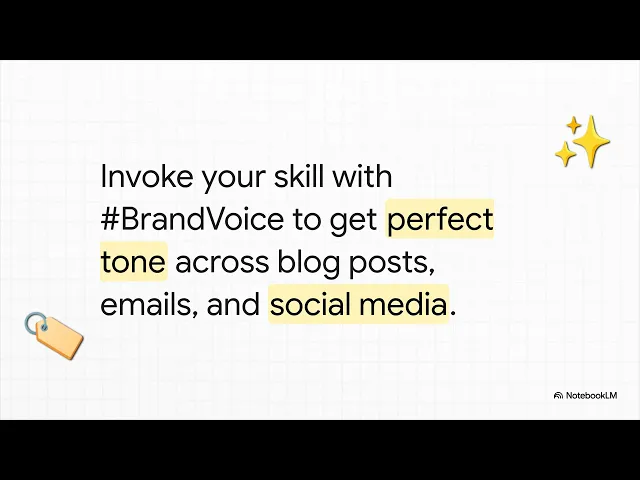
Now invoke it in any conversation by typing #BrandVoice (or whatever you named it).
Without a Skill, you paste brand guidelines into every new conversation. With a Skill, Claude automatically applies your voice to everything it writes: blog posts, emails, social media, ad copy. One hashtag, consistent output.
The compounding advantage: When Claude produces something that misses the mark, tell it what went wrong AND ask it to update the Skill file. That correction becomes permanent. The mistake never happens again in any future session.
Day 4: Build Your Content Production Workflow
Now that your Brand Project and Brand Voice Skill are set up, create a repeatable content production workflow. Here's the four-step process that produces near-final content:
Step 1: Research. Upload your content brief (target keyword, audience, angle, desired word count) to your Brand Project. Prompt: "Research this topic thoroughly using web search. Identify the top 5 angles competitors are covering, find 3 data points or statistics I can cite, and suggest an angle that differentiates our piece."
Step 2: Outline. "Based on your research, create an SEO-optimized outline for this piece. Include H2s that target searchable questions, a compelling hook for the intro, and a clear CTA for the conclusion. Follow our brand guidelines from this Project."
Step 3: Draft. "Now write the full article following this outline. Use #BrandVoice for tone. Include the data points you found. Make it [word count] words."
Step 4: Edit. "Review this draft against our brand guidelines. Flag any sections that sound generic, lack specificity, or don't match our voice. Suggest specific revisions."
This four-step process consistently produces content that requires minimal human editing. For guidance on using AI for SEO content specifically, see our guide on how to write an SEO-optimized article with Claude.
Day 5: Set Up Email Marketing Skills
Create separate Skills for your most common email types:
Cold outreach Skill. Encode your outreach methodology, ICP descriptions, common pain points by segment, and your best-performing subject lines. When you invoke this Skill, Claude generates personalized sequences that reference specific details about the prospect's company and industry.
Newsletter Skill. Include your newsletter format, typical sections, tone, and examples of your highest-engagement issues. Each week, say "Draft this week's newsletter covering [topics]" and get a near-final draft.
Nurture sequence Skill. Define your funnel stages, the messaging goals for each stage, and examples of emails that moved prospects forward. Claude generates stage-appropriate emails that match intent.
Teams using this approach report email open rates of 40-52% and reply rates of 15-21%, dramatically above the industry average of 15-20% open and 3-5% reply. The difference: each email feels individually crafted rather than templated.
Day 6: Build Your Competitive Intelligence System
Create a Project called "Competitive Intelligence" and upload your competitor data: website copy, recent blog posts, ad creative, product positioning, and pricing pages.
Run this monthly analysis prompt: "Analyze this competitive landscape and provide: 3 positioning angles competitors aren't using, their strongest messaging themes with specific examples, 2 gaps in their market coverage we could exploit, and which competitor poses the biggest emerging threat and why."
Run this monthly. Each time, update the Project with fresh competitor content. Over time, this becomes a strategic asset, a living competitive analysis that compounds in value.
For understanding how competitors show up in AI search results, our guide on AI visibility benchmarking covers the measurement approach.
Day 7: Connect Everything and Measure
Review your setup. You now have: a Brand Project with uploaded guidelines, a Brand Voice Skill, a content production workflow, email Skills, and a Competitive Intelligence Project. Run a real marketing task through the system end-to-end. Write a blog post, draft an email sequence, or produce a competitive analysis.
Measure the time it takes versus your previous process. Most teams see a 60-75% reduction in production time for content and a significant improvement in consistency.
7 Claude Marketing Workflows You Can Copy Today
These are the specific workflows that produce the best results for marketing teams. Each one builds on the system you set up in your first week.
1. Content Repurposing Engine
Take one long-form asset (a blog post, webinar transcript, or podcast episode) and turn it into a full week of multi-platform content.
Upload the source material to your Brand Project. Then prompt: "Analyze this content and create: a 10-post X thread (hook-driven, punchy sentences), a LinkedIn thought leadership article (1,200 words, professional tone), 3 Instagram carousel concepts with slide-by-slide copy, 5 short-form video scripts for TikTok/Reels (60 seconds each, hook in first 3 seconds), and an email newsletter summarizing the key insights. Use #BrandVoice for all outputs."
This single prompt, with your Skill and Project context, produces a week of platform-specific content in under 30 minutes.
2. SEO Content Cluster Builder
For building topic clusters that rank and convert:
"I want to build a topic cluster around [core topic]. Research this space and provide: a pillar page outline targeting [primary keyword], 10 cluster page ideas with target keywords and search intent (TOFU, MOFU, BOFU), an internal linking map showing which pages link to which, and content briefs for the 3 highest-priority cluster pages."
Then work through each brief using your content production workflow. For the full methodology, see our guide on how to do keyword research that works for AI and SEO.
3. Customer Research Synthesizer
Upload survey responses, support tickets, or interview transcripts. Then prompt:
"Analyze this customer feedback data and identify: the 5 most common pain points (with frequency and representative quotes), language patterns our customers use to describe their problems, objections they raise before purchasing, the outcomes they care about most, and messaging recommendations based on their actual vocabulary."
This gives you customer-voice messaging you can use in ads, landing pages, and email campaigns, grounded in real data, not assumptions.
4. Campaign Performance Analyst
Export your campaign data from Google Analytics, ad platforms, or your CRM. Upload to Claude and prompt:
"Analyze this campaign performance data and provide: top 3 performing campaigns by ROI (not just volume), which channels drive the highest quality leads, content types that consistently outperform, underperforming areas where we're wasting budget, and specific A/B tests we should run in the next 30 days with expected impact."
For tracking how AI search specifically drives traffic, our guide on tracking AI referral traffic in GA4 shows the setup.
5. Landing Page Copy Generator
Create a Skill that encodes your highest-converting landing page structure. Include your headline formula, social proof placement, benefit-vs-feature balance, CTA copy patterns, and objection-handling sections. Then prompt:
"Using #LandingPageSkill, create landing page copy for [product/service] targeting [audience]. The primary goal is [conversion action]. Key differentiators are [list]. Address these objections: [list]."
6. AI Search Optimization Auditor
Claude helps you optimize content for AI search engines, not just Google. This is increasingly important as AI search referrals become a meaningful traffic source.
"Analyze this page and evaluate its likelihood of being cited by AI search engines like ChatGPT and Perplexity. Check for: clear, direct answers to common questions, structured data and schema markup, comprehensive topic coverage, authoritative sourcing, and FAQ sections. Provide specific recommendations to improve AI search visibility."
For the full optimization framework, see our complete GEO guide.
7. Campaign Planning & Brief Automation System
This is the workflow most marketing teams still run on duct-tape Notion docs, and it's the one where Claude produces the biggest weekly time saving. The goal: turn a rough launch idea into a full campaign plan — brief, channel plan, asset list, calendar — in one session.
Setup. Create a Project called "Campaign HQ." Upload your campaign brief template, last quarter's completed campaigns (as reference), your channel mix playbook, and your approvals workflow. Add a Skill called #CampaignBrief that encodes your standard brief structure (objective, KPIs, audience, key messages, channels, asset list, timeline, owner).
The prompt:
"I'm planning a [campaign type] to launch [date] targeting [audience]. The business goal is [outcome] and success looks like [KPI]. Using #CampaignBrief, generate: (1) a complete campaign brief, (2) a channel-by-channel plan with specific asset types and quantities per channel, (3) a copy-draft-ready asset tracker listing every piece of content with owner and due date, and (4) a 6-week campaign calendar in a table. Flag any risks or dependencies you notice."
Why it works. Most campaigns fail at the intake stage because the brief is fuzzy, not because execution is bad. Putting brief generation into a Skill means every campaign starts with the same level of rigor without someone manually filling out a template. And because the asset tracker is generated alongside the brief, your team knows exactly what needs to be created before the first kickoff call ends.
Teams running this workflow report campaign kickoffs moving from 3-4 meetings down to 1, with the rest of the clarification work happening asynchronously in the Claude session itself.
Claude for Specific Marketing Functions
Generic "Claude for marketing" advice misses how different functions actually use the tool. Here's what shifts for each:
Claude for social media marketing: Build a #SocialVoice Skill that encodes your character limits, hashtag strategy, and platform-specific hooks (LinkedIn is different from X is different from Instagram). The killer move: take one long-form piece, run it through your repurposing prompt, then ask Claude to score each draft against your best-performing posts of the last 90 days. Iterate until the score matches.
Claude for email marketing: Treat your email calendar like a Project. Upload your last 20 campaigns with open/click data, then ask Claude to identify which subject-line patterns drove the top quartile. Use that pattern as a constraint in every future email prompt. This is how teams move from 25% open rates to 45%+.
Claude for performance and digital marketing: Where Claude earns its keep is in copy-at-scale for paid channels. Upload a single winning ad, then prompt: "Generate 20 variations of this ad that keep the hook but vary the angle — urgency, social proof, contrarian, outcome-driven, loss-aversion, etc. Keep character counts under [limit]." For landing-page matching, feed Claude the ad plus your page and ask where the message-match breaks. For budget reallocation logic, the Campaign Performance Analyst workflow above is usually your starting point.
Claude for product marketing: This is where Claude's long context really shines. Load your product documentation, user research, competitor positioning, and last 3 launch briefs into a Project. Then ask for positioning territories, messaging pillars, sales-enablement one-pagers, and launch narratives — all of them grounded in the actual product, not hallucinated features.
Claude for ecommerce: Product descriptions at scale (upload your SKU list, get branded copy for each), category-page SEO rewrites, review synthesis for messaging, and abandoned-cart email personalization by product category. The catch: ecommerce teams need to be stricter than most about feeding back performance data, because category-level nuance compounds quickly.
Claude for B2B SaaS and GTM: Claude is strong at translating technical features into buyer-value language, drafting BDR sequences that don't sound like templates, and synthesizing call transcripts into ICP refinement notes. Many B2B teams now run their entire sales enablement through a Claude Project, with Skills for each audience segment and deal stage.
The Prompt Framework That Actually Works for Marketing
Forget memorizing 50 different prompt templates. One framework handles 90% of marketing prompts.
RCAO: Role, Context, Action, Output.
Role: "You are a senior content strategist with 10 years of B2B SaaS experience."
Context: "Our company sells [product] to [audience]. Our brand voice is [description]. The goal of this piece is [objective]."
Action: "Write a [content type] that [specific requirements]."
Output: "Format as [structure]. Length: [word count]. Include [specific elements]."
Example in practice:
"You are a senior email copywriter specializing in B2B SaaS cold outreach. Our company, [Name], sells marketing analytics to VP-level marketers at mid-market companies. Our tone is confident but not pushy. We lead with insights, not pitches.
Write a 3-email cold outreach sequence for a prospect at [Company Name] who is a VP of Marketing. Email 1 should lead with a specific insight about their industry. Email 2 should share a relevant case study. Email 3 should propose a 15-minute call with a specific agenda.
Each email should be 3-4 sentences, use a conversational subject line, and include a clear but low-pressure CTA."
The specificity of the RCAO framework produces output that requires minimal editing. Generic prompts produce generic results.
For more prompt engineering techniques, see our guide on creating the best prompts for ChatGPT, Claude, Gemini, and Grok.
Claude for Market Research and Voice of Customer
This is the use case that compounds fastest, and it's the one most marketing teams underinvest in. Because Claude can hold hundreds of pages of context in a single session, it can do real voice-of-customer work — not keyword lists masquerading as research.
Building a voice-of-customer system
Create a Project called "Voice of Customer." Over time, upload everything that captures how real customers talk about your category: sales call transcripts, support tickets, onboarding survey responses, NPS free-text fields, Reddit threads in your space, product review scrapes, and user interview notes.
Then run this prompt quarterly:
"Across all the customer evidence in this Project, extract: (1) the top 10 pain points by frequency, with 2-3 verbatim customer quotes for each, (2) the exact language customers use to describe the problem we solve (word-for-word, not paraphrased), (3) the outcomes they say they want, also in their own words, (4) the objections and hesitations they raise before buying, (5) the unexpected use cases or segments we might be underserving. Organize everything by customer segment so we can use different language for different audiences."
What you get back is not "research" — it's a living messaging source-of-truth. Use the verbatim language in ad headlines, landing page subheads, and email subject lines. Expect to see your conversion rates move within 30 days.
Target audience research from external sources
A common question: can Claude help determine target audiences using only external sources, when you don't yet have your own customer data? Yes, but with guardrails. Turn on web search in your session, then prompt:
"I sell [product/service] to [initial audience guess]. Research public discussions (Reddit, industry forums, LinkedIn, G2 reviews, and industry publications) where this audience talks about the problems my product solves. Identify: (1) the 3-5 most vocal sub-segments and what distinguishes them, (2) the language each sub-segment uses, (3) the adjacent tools or solutions they're comparing against, (4) which sub-segment seems most underserved by existing solutions."
Verify everything Claude surfaces — public-web research is a starting point, not a conclusion. But as a fast, cheap way to pressure-test an audience hypothesis before you commit a budget to ads, it's hard to beat.
Customer insights database from calls, surveys, and tickets
For teams who want Claude to do structured (not just narrative) analysis:
"I'm going to upload [call transcripts / survey exports / support tickets]. Build a structured database of customer insights with these fields for each entry: source type, customer segment, pain point category, verbatim quote, product/feature mentioned, sentiment, actionable insight for marketing or product. Output the result as a table I can paste into Airtable or a Google Sheet."
Do this once a quarter. Inside 12 months, you have a queryable voice-of-customer dataset that most teams would pay a research agency five figures to produce.
Claude for SEO: What Marketers Need to Know
Claude is particularly strong for SEO work because of its ability to hold large contexts, reason about search intent, and produce comprehensive content. Here's where it excels:
Keyword research and clustering. Upload your keyword export from Ahrefs, Semrush, or a free keyword tool. Ask Claude to cluster keywords by topic and intent, identify content gaps, and prioritize based on difficulty and business impact. Claude handles thousands of keywords in a single analysis.
Content optimization. Paste a draft and ask Claude to evaluate it against a target keyword. "Does this content comprehensively cover the topic? What subtopics are missing? Where should I add semantic keywords naturally? What questions does this article fail to answer?"
Technical SEO analysis. Upload your site's HTML or describe your page structure. Claude identifies missing H1 tags, suggests schema markup improvements, evaluates title tags, and recommends URL structure changes.
Content decay detection. Upload your traffic data over time and ask Claude to identify pages losing rankings. For recovery strategies, see our guide on why blog rankings dropped after Google's core updates.
GEO optimization. Claude analyzes your content for AI search readiness, evaluating whether it's structured in ways that LLMs cite. Our AI search readiness audit checklist provides the full framework.
For the complete SEO foundation, see our SEO 101 guide for startups.
A Starter Prompt Library for Marketers
Skip the prompt-template marketplaces. These six prompts, combined with your Brand Project and Brand Voice Skill, cover most of the work:
Blog outline. "Using #BrandVoice, build an SEO-first outline for [keyword]. Include H2s phrased as questions, 3 data points I should source, and the contrarian angle most competitors miss."
Cold email. "Draft a 3-email sequence to [persona] at [company archetype]. Email 1 leads with an industry-specific insight, not a pitch. Email 2 shares a relevant case story in 3 sentences. Email 3 proposes a 15-minute call with a specific agenda. Keep each under 90 words."
Ad variations. "Here's a winning ad: [paste]. Generate 15 variations keeping the same hook angle but varying: urgency, social proof, contrarian, outcome-led, loss-aversion, identity. Character limit: [X]."
Landing page teardown. "Evaluate this landing page against my ad copy. Where does message-match break? What's the primary objection this page doesn't handle? Give me 3 specific rewrites for the above-fold section."
Newsletter from a source. "Using #BrandVoice, turn this [article/report/transcript] into a 500-word newsletter with a pattern-break opening, one counterintuitive insight, and a clear CTA."
Competitor teardown. "Here's a competitor's [landing page / launch post / sales deck]. Identify their positioning, their implicit claim about us, and three angles we could use to reframe the comparison."
Save the ones you use most as Skills. A Skill you invoke with #ColdEmail beats a prompt you paste fresh every time.
7 Mistakes Beginners Make With Claude (And How to Avoid Them)
1. Treating Claude Like a Search Engine
Asking "Write me a blog post about CRM" gives you the same generic output any AI produces. Instead, provide context: who it's for, what angle to take, what voice to use, and what the reader should be able to do after reading. The more context you give, the less editing you do.
2. Skipping Projects and Working Only in Chat
Chat conversations are stateless. Claude forgets everything when you close the tab. If you're doing anything recurring (content, email, analysis), set up a Project first. The 10 minutes of setup saves hours of re-explaining.
3. Creating One Giant Skill Instead of Focused Ones
Don't build a "Marketing Skill" that handles social posts, email campaigns, ad copy, and blog posts. It bloats the Skill and confuses Claude about when to activate it. Create separate, focused Skills: Social Media Skill, Email Campaign Skill, Blog Writing Skill, Ad Copy Skill.
4. Not Feeding Performance Data Back
Claude out of the box doesn't know what works for your audience. Share performance data: "These 3 subject lines got 50%+ open rates, these 3 got under 20%." Ask Claude to analyze patterns. The quality of future output improves dramatically. This is how you get compounding returns.
5. Publishing AI Output Without Human Editing
Claude produces excellent first drafts. Every piece still needs a human pass for accuracy, brand alignment, and the addition of genuine expertise. The winning formula: Claude for the 80% (research, structure, initial drafting) and humans for the 20% (strategy, editing, original insights).
6. Ignoring Claude's Limitations
Claude cannot generate images. It can analyze them, but it does not create them. It cannot access websites in real-time through Chat without web search being enabled. Its knowledge has a training cutoff, so use web search for current events and data. For very niche industry topics, it may lack depth. Always verify specialized claims before publishing.
7. Not Measuring the Impact
Track production time before and after adopting Claude. Measure content performance (engagement, conversions) for Claude-assisted vs. fully human content. Document cost savings. Without measurement, you can't prove ROI or identify where to optimize further. For guidance on what to measure, see our analysis of organic traffic vs. organic conversions.
When Claude Gives You Generic Marketing Outputs (And How to Fix It)
If you've used Claude for more than a week, you've hit this wall: the output is technically correct but bland. It sounds like every other AI-generated marketing piece. There are almost always four causes, in order of likelihood:
You didn't give it a Project. Every conversation started in empty chat will produce generic output because Claude has no brand context. Fix: move the task into your Brand HQ Project.
You didn't invoke a Skill. Without
#BrandVoice(or whichever Skill applies), Claude defaults to a neutral "professional" register. Fix: add the Skill invocation.Your prompt didn't specify a perspective or angle. "Write a blog post about CRM" is a generic prompt; it gets a generic result. Fix: specify who the reader is, what they already believe, what you want them to think after reading, and the one non-obvious angle you want to take.
You haven't fed performance data back in. Claude can't write like your best-performing content if it has never seen your best-performing content. Fix: upload your top 5 pieces by engagement and ask Claude to extract the patterns, then update your Skill file with those patterns.
If the output is still generic after all four fixes, the problem is usually that you're asking Claude to have an opinion it doesn't have. Give it yours to react to, and it will sharpen fast.
Making Your Brand Visible Inside Claude (and Other AI Tools)
Here's the shift most marketing teams haven't processed yet: your buyers are increasingly asking Claude, ChatGPT, Perplexity, and Gemini for recommendations before they visit Google. When they type "best marketing analytics platform for mid-market SaaS," the tool that gets named first wins. If your brand isn't cited in those answers, you're losing the sale before anyone clicks.
You can use Claude itself to measure and improve this. Try prompts like:
"Pretend you're a VP of Marketing at a 200-person SaaS company shopping for [category]. Without using web search, which 5 vendors come to mind and why?"
"What sources did you draw on to form that recommendation?"
"What's the strongest piece of content you'd recommend someone read to understand this category?"
Run the same exercise in ChatGPT, Perplexity, and Gemini. You now have a baseline: where you show up, where you don't, and what content AI tools consider canonical in your space. From there, the work is to publish the missing content, get cited by the sources AI tools trust, and close the structured-data gaps that prevent your pages from being picked up.
This is the core of GEO — Generative Engine Optimization — and it's where a lot of the marketing value from Claude ultimately shows up. For a dedicated way to track this across AI tools over time, Passionfruit Labs is purpose-built for it.
Claude Code for Marketers: When a Terminal Helps
Most marketers will never touch Claude Code, and that's fine. But a small slice of the job — the data-heavy, repeatable, technically-bordered work — is dramatically faster there than in the Claude chat interface.
What Claude Code is. A command-line tool where Claude reads and writes files on your computer directly. You describe what you want, Claude writes and runs the code, and you review the output. It's not a different "smarter Claude" — it's Claude with permission to manipulate files.
When it helps marketers:
Keyword and content audits at scale. Drop a Semrush/Ahrefs export into a folder and ask Claude Code to cluster it, flag cannibalization, and output a prioritized brief list.
Site-wide content updates. "Scan my export of 400 blog posts, find every one that mentions [outdated product name], and output a rewrite suggestion for each." This is a week of work in a normal workflow and an afternoon in Claude Code.
Bulk localization. Translate and lightly rewrite a product catalog from one market to another while preserving brand voice.
Custom analytics. Pull a GA4 export and generate month-over-month analyses without touching a spreadsheet.
When it doesn't. For creative work, ideation, and anything requiring conversational back-and-forth, regular Claude chat is better. Claude Code is best when the task is "do this specific thing to these specific files" and the value is in running it once across a large volume.
Setup requires about 10 minutes and Node.js installed. See Anthropic's Claude Code documentation for the install path.
Claude Pricing for Marketing Teams: What Plan Do You Actually Need?
Plan | Price | Best For | Key Details |
|---|---|---|---|
Free | $0 | Trying Claude, occasional use | Limited messages. Projects and Artifacts included. |
Pro | $20/month | Individual marketers, freelancers | All features: Skills, Connectors, web search, generous daily usage. |
Max | $100-200/month | Heavy daily users, agency producers | 5-20x Pro usage, extended thinking, longer sessions. |
Team | $30/user/month | Marketing teams (2+) | Shared Projects, admin controls, higher limits per user. |
Enterprise | Custom | Large organizations | 500K-1M context, SSO, admin tools, compliance certifications. |
Our recommendation: Start with Pro ($20/month). It gives you access to everything: Projects, Skills, Connectors, Artifacts, web search. If you find yourself hitting usage limits daily (the interface shows your weekly usage), upgrade to Max. Team plans make sense when 3+ people need shared access to the same Projects and Skills.
Frequently Asked Questions
What is the best way to start using Claude for marketing?
Set up a Brand Project on Day 1. Upload your brand guidelines, audience personas, and 3-5 examples of your best content. This eliminates the need to re-explain your brand in every conversation and immediately improves output quality. Then create a Brand Voice Skill to encode your writing style. These two actions (Project + Skill) transform Claude from a generic chatbot into a brand-aware marketing assistant. For broader SEO context, see our SEO principles guide.
How is Claude different from ChatGPT for marketing tasks?
Claude produces more natural, human-sounding marketing copy that requires fewer editing passes. It handles longer context (200K tokens vs. ChatGPT's 128K), which means it references more brand material simultaneously. It's also more honest about uncertainty, which is critical when generating market claims. ChatGPT wins on image generation (DALL-E), speed for quick tasks, and ecosystem size. Many marketers use both strategically. For a full model comparison, see our GPT-5.1 vs. Claude 4.5 Sonnet vs. Gemini 3 Pro comparison.
What are Claude Projects and why do they matter for marketing?
Projects are persistent workspaces where you upload documents and set custom instructions that carry across multiple conversations. For marketers, this means you upload your brand guide once, and every conversation within that Project automatically references it. Projects eliminate the "cold start problem" that plagues regular AI chat. No more re-explaining your brand, audience, or goals. Teams report 40% faster content creation when using Projects versus standard chat.
What are Claude Skills and how do I create one?
Skills are portable, reusable packages of instructions that Claude references automatically when you invoke them with a hashtag. A Skill might encode your blog writing process, email style, or social media voice. To create one, describe the task and your preferences in a conversation, and Claude generates a downloadable zip file. Upload it through Settings, then Skills, and it's available in any conversation via #SkillName. The key advantage: when you correct Claude's output and update the Skill, that fix is permanent across all future sessions.
Can Claude connect to my marketing tools like HubSpot or Google Analytics?
Yes, through Connectors. Claude integrates with 50+ tools including Google Drive, Gmail, Slack, Notion, HubSpot, Salesforce, and many more via MCP (Model Context Protocol). You authenticate once through OAuth, and Claude searches, reads, and interacts with your data without leaving the interface. All connectors are free. You only need a paid Claude plan and an active subscription to the connected tool.
How much does Claude cost for a marketing team?
Claude Pro at $20/month per user gives individual marketers access to all features. Team plans at $30/user/month add shared Projects and admin controls. For heavy daily users, Max at $100-200/month provides 5-20x the usage limits. All connectors are free. The ROI calculation is straightforward: if Claude saves one team member 10 hours per week on content production, that's $250+ in labor savings per week against a $20-30 monthly subscription.
Is Claude-generated content detectable as AI?
Claude's writing is notably more natural than earlier AI models. While some AI detectors flag it, well-edited Claude content is difficult for human readers to distinguish from human writing. Best practice: always edit and add genuine expertise before publishing. Use Claude for the structure, research, and first draft. Add your unique insights, real examples, and brand personality in the editing pass.
Which Claude model is best for marketing work?
For most marketing tasks, Claude Sonnet is the right default — it handles 80% of day-to-day content, email, and ad work at the best speed-to-quality ratio. Use Claude Opus when the output requires deeper reasoning: strategic positioning, competitive analysis, pillar content, or brand voice work where nuance matters. Use Claude Haiku for high-volume, low-complexity tasks like batch-tagging or generating subject-line variations. If you're using Cowork or Claude Code for multi-step workflows, lean toward the higher-reasoning models — mistakes compound across steps.
How do I use Claude for market research and voice of customer?
Create a dedicated "Voice of Customer" Project and upload everything that captures real customer language: call transcripts, support tickets, survey free-text, NPS comments, product reviews, and interview notes. Then run a quarterly synthesis prompt asking Claude to extract pain points, verbatim customer language, desired outcomes, objections, and underserved segments — organized by customer segment. Use the exact phrases customers use in your ad copy, landing pages, and emails. This is often worth more than paid research, because it surfaces the actual vocabulary your buyers use, not sanitized versions of it. For audience research without existing customer data, turn on web search and ask Claude to synthesize public discussions from Reddit, G2, LinkedIn, and industry forums — verifying before acting on anything.
Why is Claude giving me generic marketing outputs?
Four causes, in order of likelihood: (1) you're in an empty chat instead of a Brand Project, so Claude has no context; (2) you didn't invoke a Brand Voice Skill; (3) your prompt didn't specify a perspective, angle, or reader state-of-mind; (4) you haven't uploaded examples of your best-performing content for Claude to pattern-match against. Fix those four, and output quality changes immediately. If it's still generic after that, you're likely asking Claude to have an opinion you haven't given it yet — provide your take and ask Claude to sharpen or challenge it.
Can I use Claude Code for marketing work?
Yes, for a specific slice of the job. Claude Code is a command-line tool where Claude reads and writes files directly on your computer. It's overkill for day-to-day content work, but it's the fastest way to handle large-volume, repetitive tasks: clustering a 10,000-keyword export, auditing 400 old blog posts for cannibalization, bulk-rewriting product descriptions, or running analytics on a large data export. If you're doing "the same operation across hundreds of items," Claude Code will save you days. For creative or conversational work, regular Claude chat is better.
Can I build a campaign planning workflow with Claude?
Yes, and it's one of the highest-leverage workflows you can set up. Create a "Campaign HQ" Project with your brief template, previous campaigns, and channel playbook. Add a #CampaignBrief Skill. Then a single prompt can generate a campaign brief, channel plan, asset tracker, and 6-week calendar from a rough idea — turning what usually takes 3-4 kickoff meetings into one async session. For campaign asset tracking specifically, have Claude output the asset list as a table mapped to owners and due dates, which you can paste straight into Airtable or Asana.
How do I make Claude (and other AI tools) recommend my brand to users?
This is the core of GEO — Generative Engine Optimization. Start by measuring: ask Claude, ChatGPT, Perplexity, and Gemini "what are the top [your category] solutions for [your ICP]" without web search enabled, and see whether you're mentioned. Then work backwards: publish authoritative content that answers common category questions directly, get cited by sources these tools trust (industry publications, reputable blogs, Wikipedia), add structured data and clear FAQ sections, and make sure your positioning is expressible in one crisp sentence. For ongoing tracking across models, Passionfruit Labs is purpose-built to measure AI visibility and flag when your share of AI-driven recommendations shifts.
How do I use Claude for social media marketing specifically?
Build a #SocialVoice Skill that encodes character limits, hashtag strategy, and platform-specific hooks. Take one long-form asset (blog post, webinar, podcast), run it through the repurposing prompt, and generate platform-native drafts for LinkedIn, X, Instagram, and TikTok in one pass. The advanced move: upload your 90-day performance data and ask Claude to score each new draft against your best-performing posts before you publish. Teams doing this consistently see engagement rates 2-3x higher than their generic AI baseline.
Your Next Move
Don't try to master everything at once. Here's your one action for today:
Create a Brand Project. Upload your brand guidelines and 3 examples of your best content. Start one conversation within that Project. Write a blog post, draft an email, or analyze a competitor. Compare the output quality to what you get from an empty, context-free chat.
That single comparison shows you why the setup matters and motivates you to build the rest of the system.
If you want expert help implementing Claude and AI into your marketing operations, Passionfruit's SEO and content team works with SaaS and ecommerce brands to build AI-native marketing systems. See our case studies for real results, or explore how we achieved 120% organic traffic growth in 3 months.
Claude isn't a tool you try once. It's a system you build once and use every day.